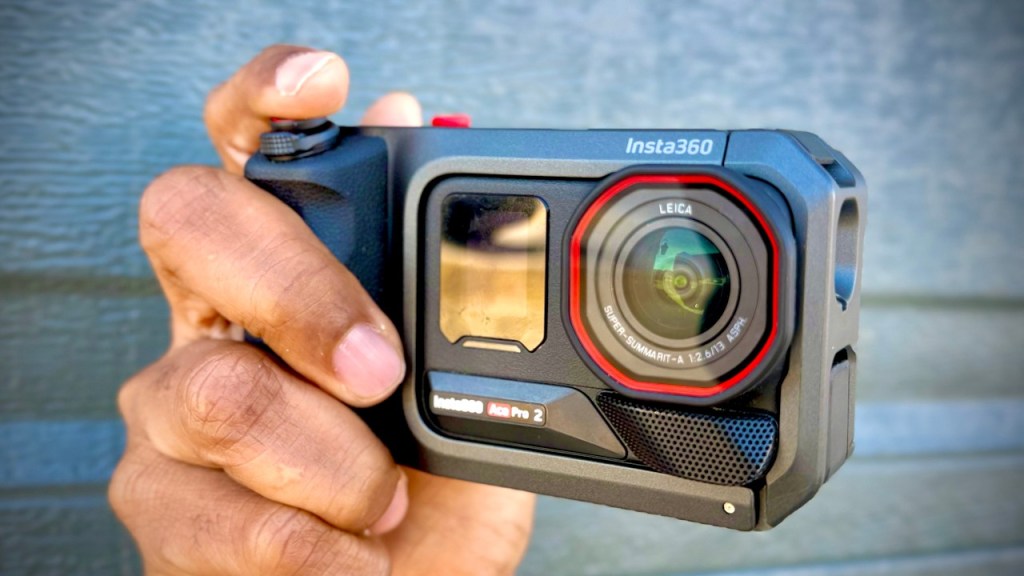
Everything feels digital these days. Screens, touch controls, slick menus, smaller and smaller gear. It is kind of amazing. But I still miss the good old tactile stuff: buttons, knobs, and dials. I also miss the simple, comfortable feeling of holding a camera with a grip you can actually trust.
The Insta360 Ace Pro 2 and Xplorer Grip Pro pairing does exactly that. The Ace Pro 2 is a fantastic waterproof, tough action camera with strong image quality in bright light and low light. The problem is the same one a lot of action cams have: it is just not as comfortable for casual use, like sightseeing or quick “grab-and-go” moments.
The Xplorer Grip Pro fixes that comfort gap by transforming the Ace Pro 2 into something much closer to a point-and-shoot camera, while still keeping the action-ready benefits you already like.
Why the Ace Pro 2 feels great for adventure, but not always for casual
Ace Pro 2 is built for action: it is waterproof, rugged, and delivers excellent image quality across lighting conditions. Where it struggles is everyday ergonomics.
When you are not doing an adrenaline activity, you still want:
- Comfort in your hand
- Fast access to key controls
- A setup that feels less like “gear” and more like a camera
The Xplorer Grip Pro addresses those day-to-day frustrations without turning the Ace Pro 2 into something fragile or impractical.
What the Insta360 Ace Pro 2 Xplorer Grip Pro setup changes
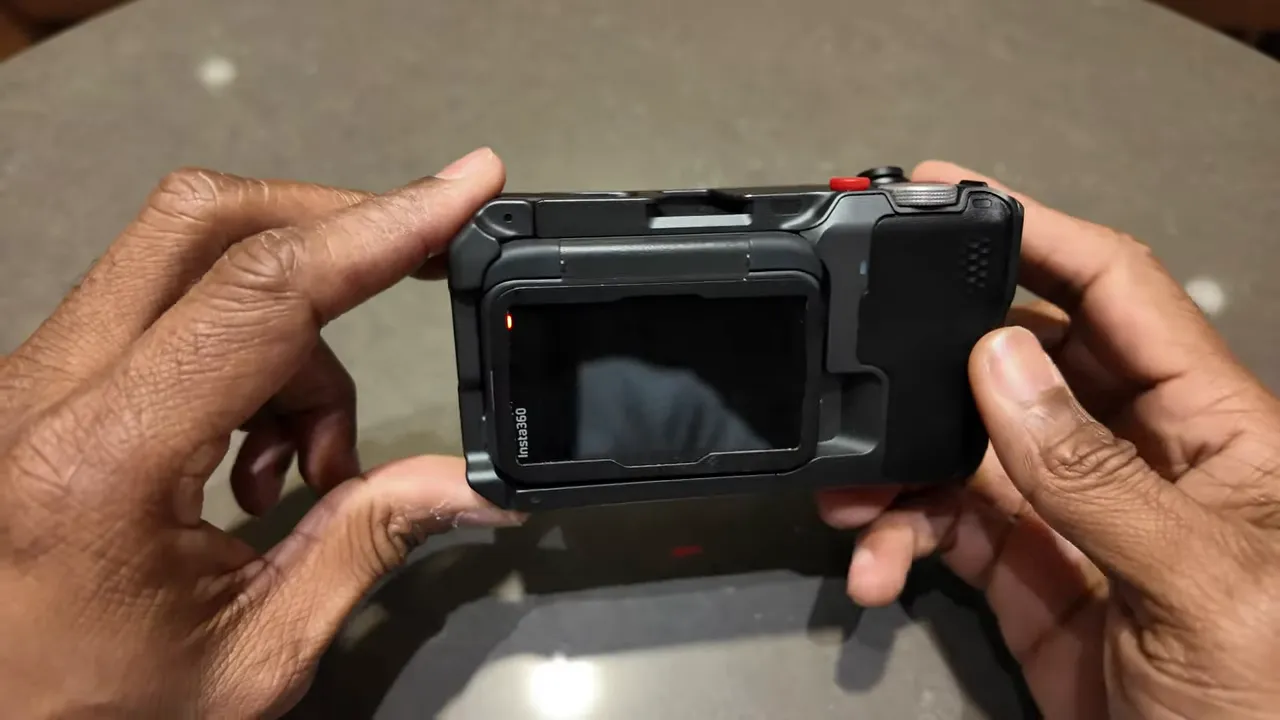
The core idea is simple. You slide the Ace Pro 2 into the grip, close the latch, and plug it in. After that, you get a more natural handheld experience, plus controls you can actually feel and use quickly.
Quick setup process
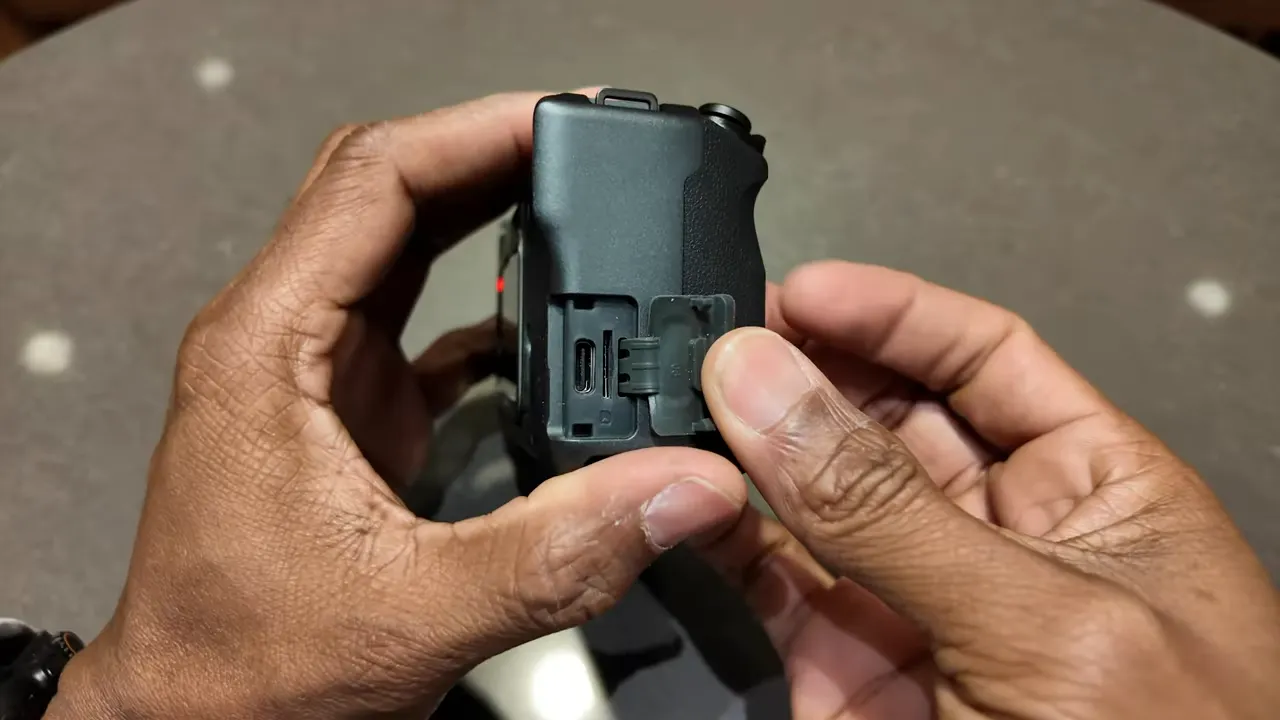
- Remove the Ace Pro 2 USB-C cover
- Slide the Ace Pro 2 into the Xplorer Grip Pro
- Close the latch
- Plug in via USB-C
Important note: waterproofing changes when the camera is in the grip
One thing to keep in mind is that when the Ace Pro 2 is in the grip, it is no longer waterproof.
That is not a deal breaker for most casual sightseeing, but it is crucial for anyone who assumes “waterproof camera equals waterproof kit” at all times. If your plans involve splashes, rain, or anything heavy, plan accordingly.
Grip comfort and real usability upgrades
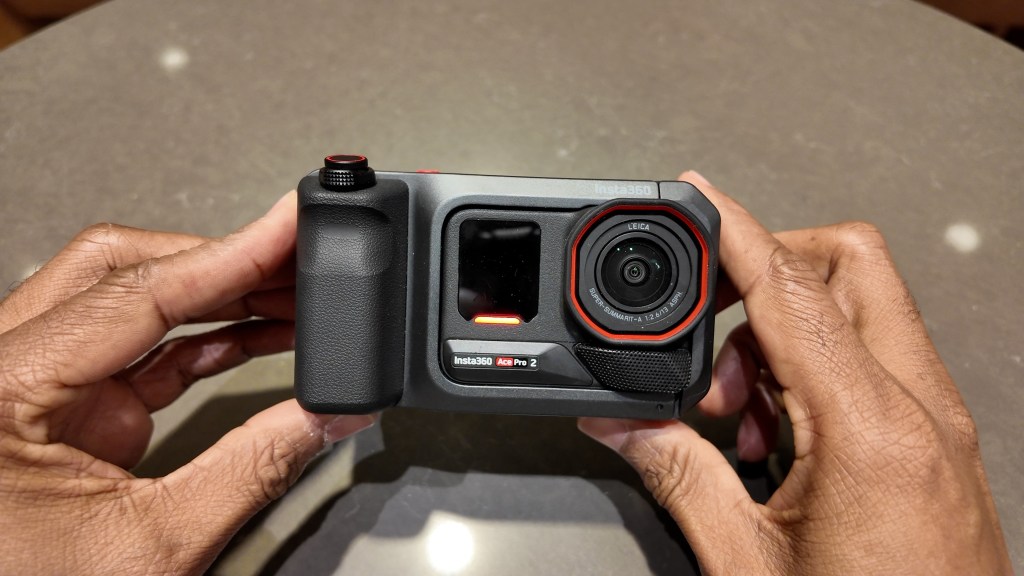
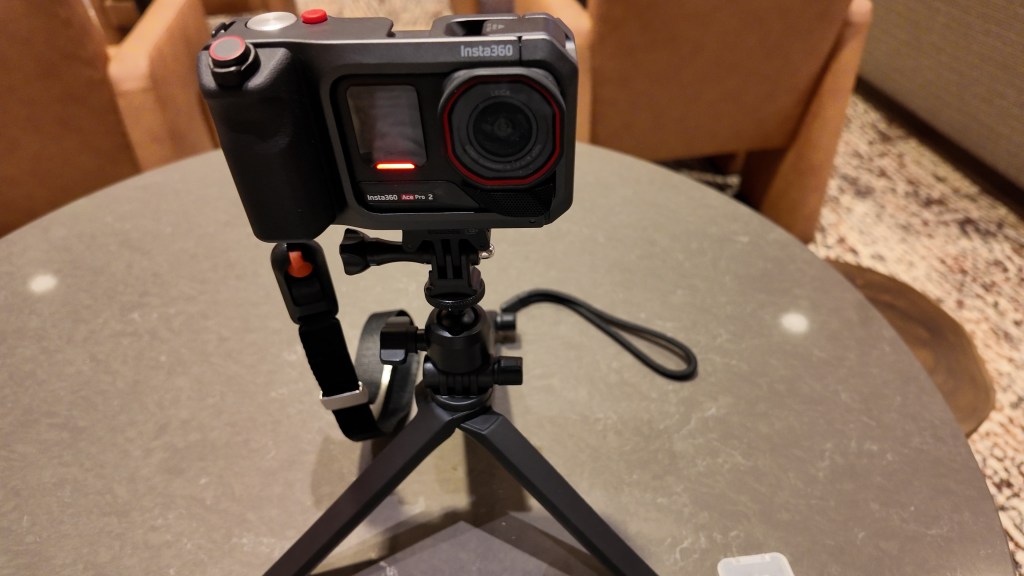
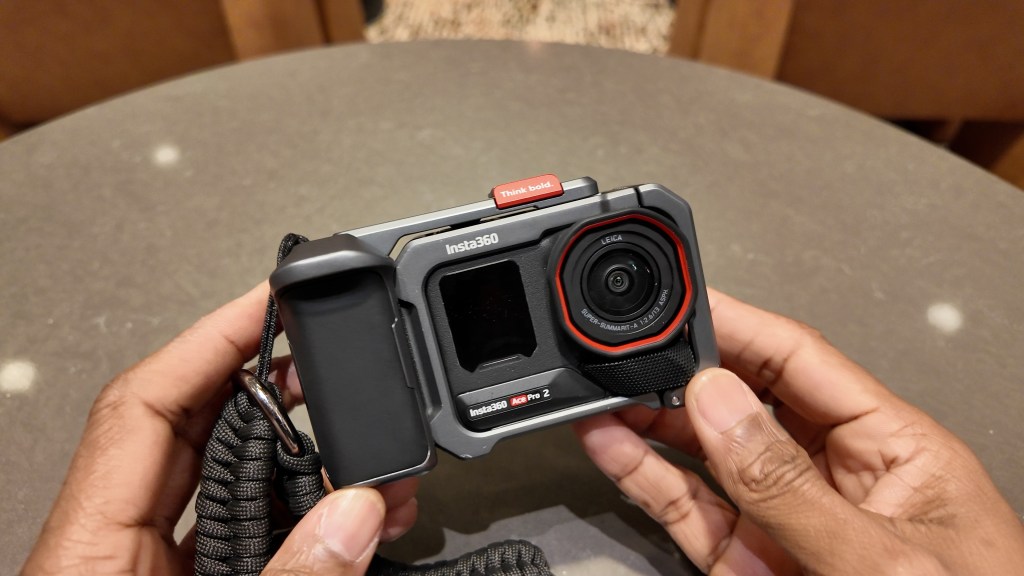
Visually, the kit looks great. More importantly, it feels much better in the hand than holding the Ace Pro 2 by itself.
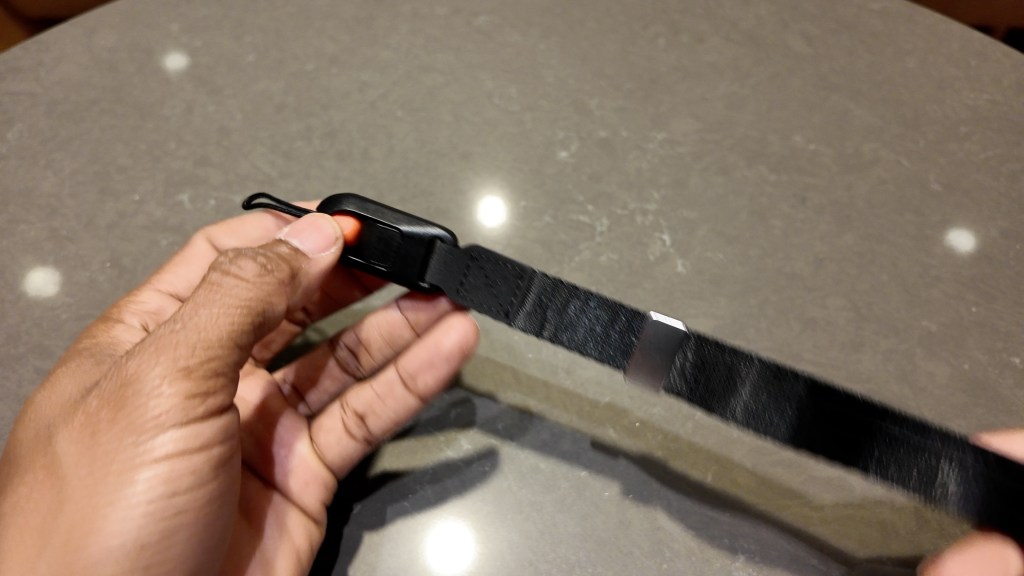
It also includes a strap that mounts in two locations, so you can choose how you want it to ride while walking around.
Battery life boost from the grip
The grip includes its own battery: 2,100 mAh. That adds extra recording time on top of the Ace Pro 2’s battery.
- Up to 5 hours 40 minutes when using minimal settings
- Up to 140 minutes in 4K 60
This matters because “casual use” often turns into “I did not realize I was recording that long.” Extra runtime reduces that stress.
Ports and mounts: built for accessories, not just holding the camera
The Xplorer Grip Pro includes a USB-C port and a microSD-looking slot. The important detail: it is meant to hold the memory card, and it does not provide additional memory beyond that purpose.
There is also a mounting plate at the bottom, so you can attach accessories like multi-mount solutions and other gear you already use.
Flip Screen Hood: better visibility in bright sunlight
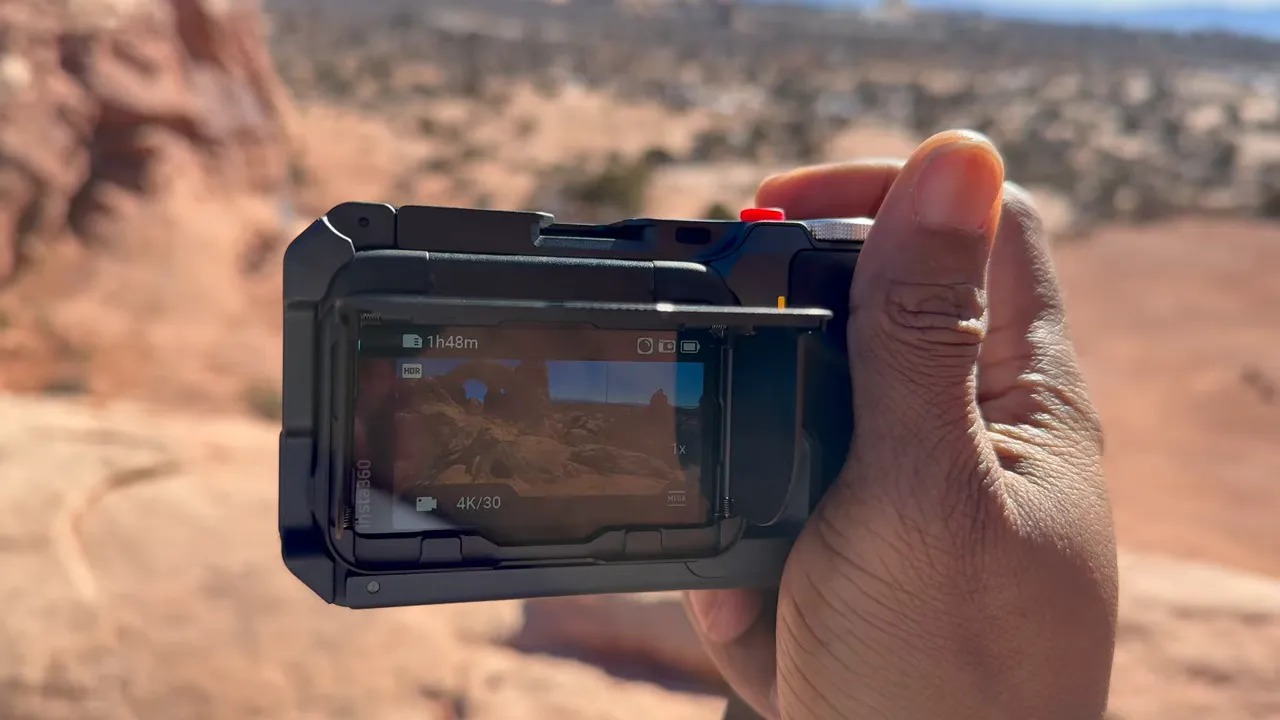
The grip can be used with a separate flip screen hood accessory. If you have ever tried to view a screen outdoors, you already know why this is valuable.
The hood:
- Makes the screen much easier to see in bright conditions
- Attaches with a magnetic plate, so you can remove it when you do not need it
Even with the Ace Pro 2 in the mount, you can still flip up the screen for selfies and vlogging.
Audio and external gear support
If you want a more “serious camera” setup for casual content creation, the grip includes options for that.
- Cold shoe for adding an external mic or light
- 3.5 mm audio jack for audio gear
There is also a red water-protection cover designed to keep water from damaging the grip.
Controls that feel like a real camera
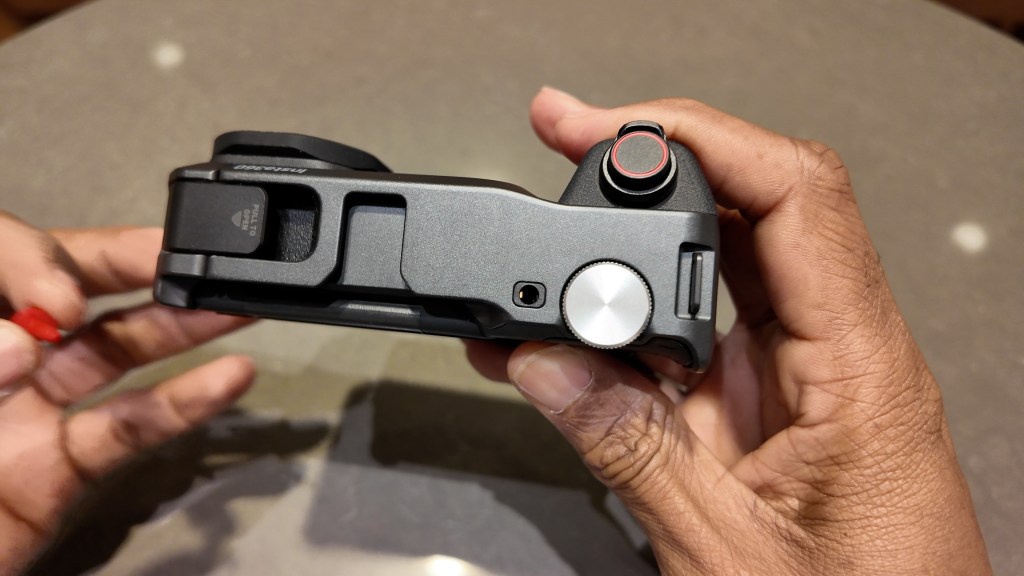
This is where the insta360 ace pro 2 explorer grip pro idea really shines. Instead of relying solely on menus and touch interaction, you get physical controls.
Shutter button and customizable look
The grip has a shutter button, and that button can be removed and replaced to give the grip a more unique look.
Zoom knob: smooth 1x to 2x
The zoom knob lets you go from 1x to 2x smoothly. It is a simple control that feels instantly more “photography” than “action cam.”
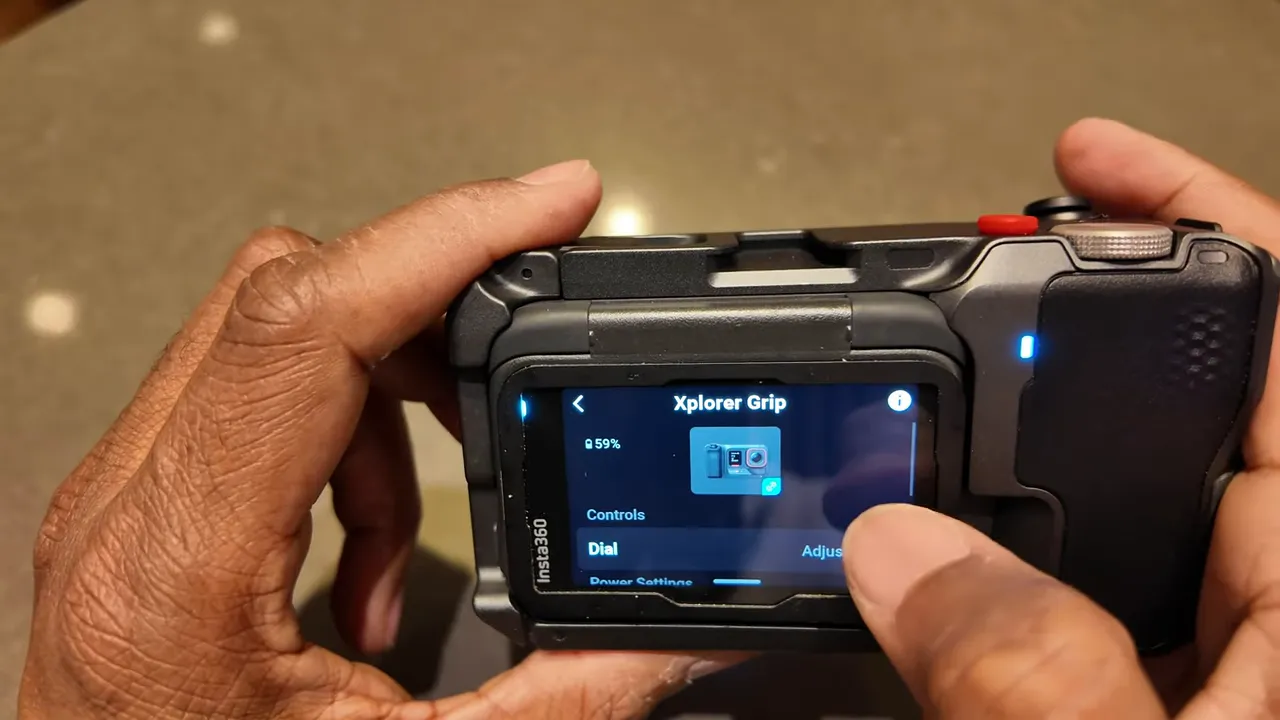
Dial for quick changes
There is also a dial you can use to quickly adjust key settings such as:
- Exposure
- Filters
- Mode
You can select which of those the dial controls in the grip settings for the Ace Pro 2.
Explorer Grip Pro vs the non-Pro grip
If you have been considering either version, the practical difference is straightforward: the Pro grip adds a lot of control surface area.
The non-Pro Explorer Grip:
- Does not have a shutter button
- Does not have zoom knobs and dials
- Is not integrated into the Ace Pro 2 system in the same way
In other words, the Pro grip is the one that truly changes the “feel” of using the camera day to day.
Who this accessory is really for
The Xplorer Grip Pro is a strong match if you:
- Love the Ace Pro 2’s image quality and toughness
- Want better handheld comfort for sightseeing and casual shooting
- Prefer physical controls like dials, knobs, and buttons
- Plan to add audio and lighting gear for creator-style content
If your main use case is purely high-action, strapped-down capture, the grip may not be necessary. But for hybrid shooters who move between adventure and everyday moments, it is a big upgrade.
FAQ
Does the insta360 ace pro 2 explorer grip pro setup stay waterproof?
When the Ace Pro 2 is in the grip, it is no longer waterproof. The grip has a water-protection cover, but you should not treat the mounted setup as fully waterproof.
How long can you record with the Xplorer Grip Pro battery?
With the added 2,100 mAh battery in the grip, you can record up to about 5 hours 40 minutes using minimal settings, or up to about 140 minutes in 4K 60.
What does the USB-C/microSD-looking slot do?
It is used to hold the memory card. It does not add extra memory capacity to the camera beyond the card itself.
Can I still use the flip screen while the camera is in the grip?
Yes. With the Ace Pro 2 mounted in the grip, you can flip up the screen for selfies and vlogging.
What extra controls does the Explorer Grip Pro add compared to the non-Pro grip?
The Pro grip adds features like a shutter button, zoom knob, and dial controls, and it is more integrated for control behavior with the Ace Pro 2.
Is the flip screen hood included with the grip?
No. The flip screen hood is a separate accessory, but it pairs well with the grip for better outdoor visibility.
Bottom line: the insta360 ace pro 2 explorer grip pro setup keeps what makes the Ace Pro 2 great, then fixes the one thing that often holds action cams back for everyday shooting: comfort and control. The result is a camera feel that is closer to point-and-shoot, while still being ready for real-world capture.

 A.V. with Rodney
Leave a comment